How to Create a Moodle Quiz: Step-by-Step Guide
Quizzes work in 2 parts. You need to set up the quiz first and then add the questions. You can create the questions before directly into the question bank and add them to your quiz.
Or you can create them at the end of setting up your quiz. They will be saved into your question bank so you can use them for another time.
5. Setting #4: Question Behavior. Shuffle Answers
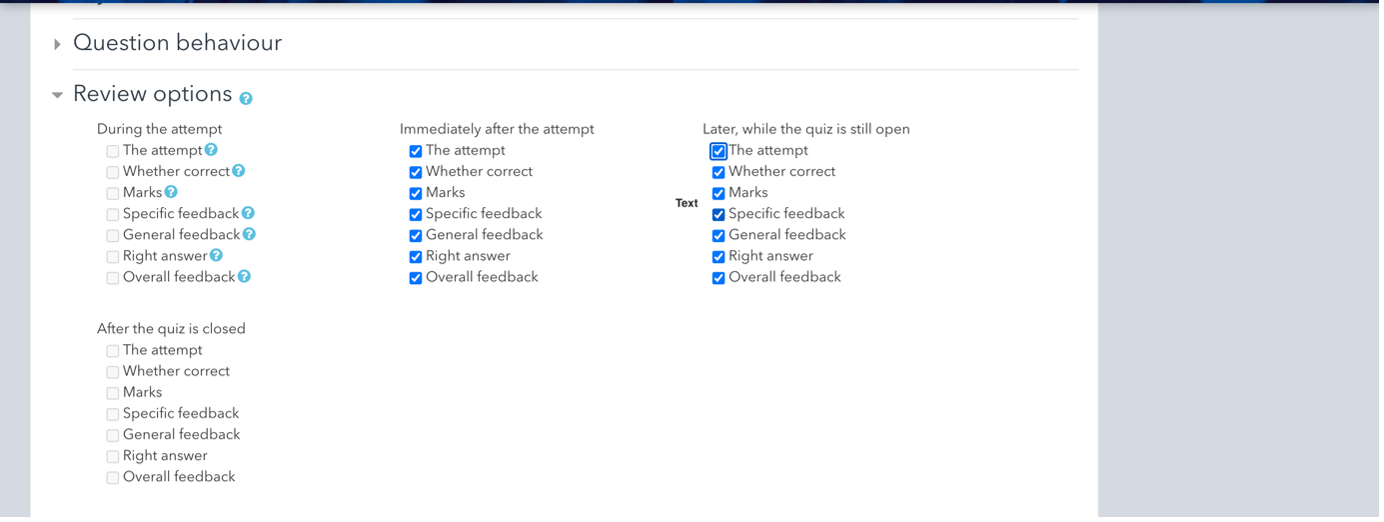
The standard options are with all the tick boxes checked in "Immediately after the attempt” and “Later, while the quiz is still open”. This will give the students their feedback immediately after the quiz.
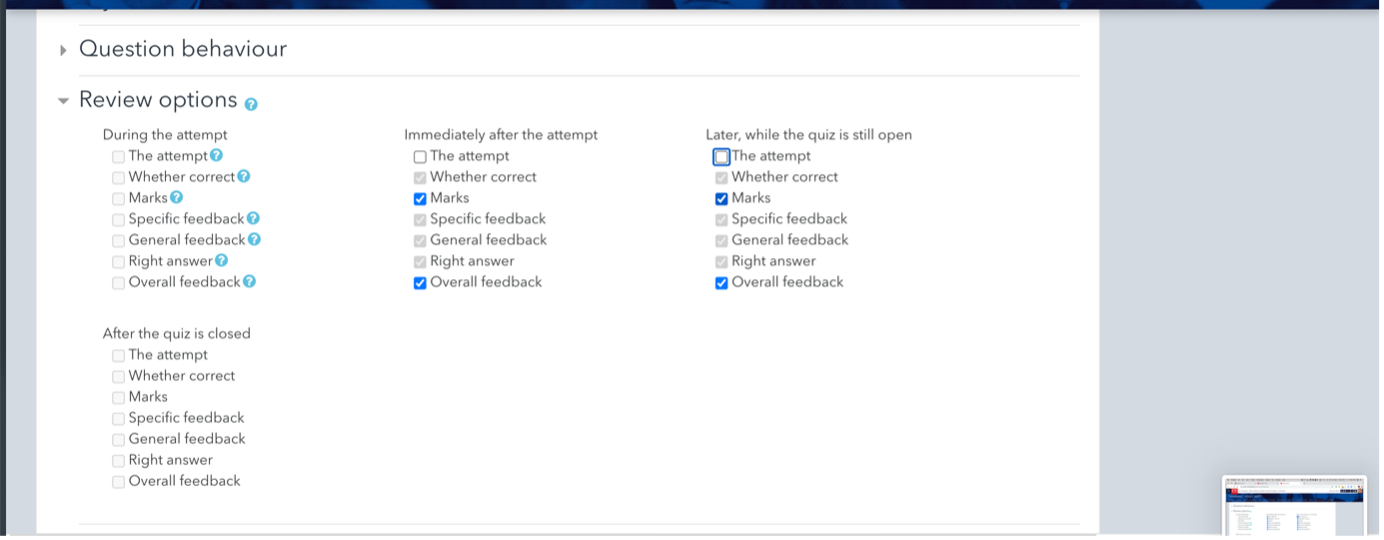
In an exam situation you will need to uncheck the top box “The attempt" in these two categories which will automatically uncheck the other boxes. Also useful if you don’t want the students to immediately have the answers in a test.