How to Create a Moodle Quiz: Step-by-Step Guide
Quizzes work in 2 parts. You need to set up the quiz first and then add the questions. You can create the questions before directly into the question bank and add them to your quiz.
Or you can create them at the end of setting up your quiz. They will be saved into your question bank so you can use them for another time.
3. Setting #2: Grade. Set a Passing Grade (Optional)
With the default settings, students have an unlimited number of attempts to answer the same question. As a result, a quiz can be passed by a random choice method: they make a mistake and immediately change the answer, and so on until they pass. If you prefer learners not to play guessing games, limit the number of attempts and set a passing score.
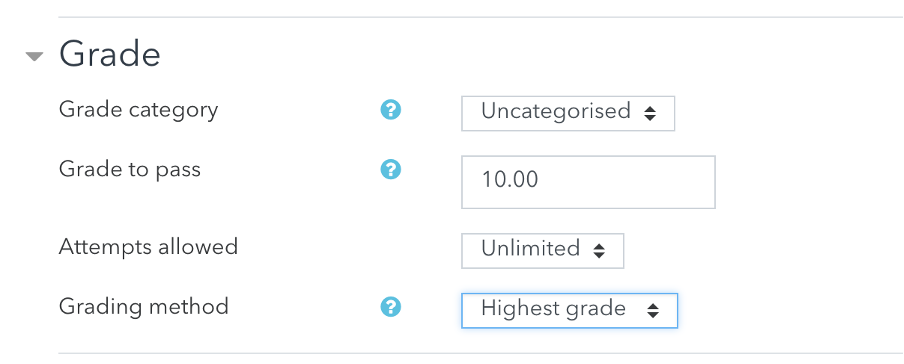
Passing grade
This is the minimum score required to pass a quiz. The pass grades are highlighted in green, and fail grades in red.
Number of attempts
If this is a final exam, you can give just one attempt, and unlimited for a practice quiz.
Grading method
If this is a practice, students get to keep the highest grade they have achieved.