Book
How to Create a Moodle Quiz: Step-by-Step Guide
Completion requirements
Quizzes work in 2 parts. You need to set up the quiz first and then add the questions. You can create the questions before directly into the question bank and add them to your quiz.
Or you can create them at the end of setting up your quiz. They will be saved into your question bank so you can use them for another time.
1. Adding and Setting Up a Quiz
Step 1: Turn Editing on
Step 2: Go to the topic shell and click on Add an activity or resource, in the bottom right corner.
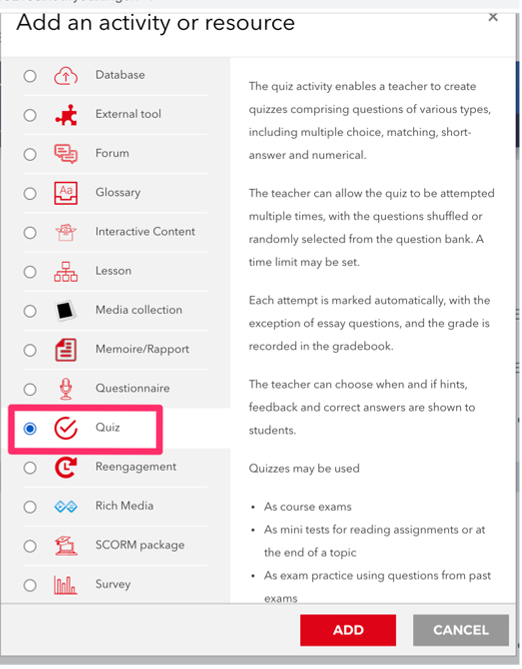
Step 3: Choose Quiz in the Activities section click Add.
Step 4: Enter the quiz name and its description. It’s also important to set a number of options so that students don’t cheat.