How to Create a Moodle Quiz: Step-by-Step Guide
1. Adding and Setting Up a Quiz
Step 1: Turn Editing on
Step 2: Go to the topic shell and click on Add an activity or resource, in the bottom right corner.
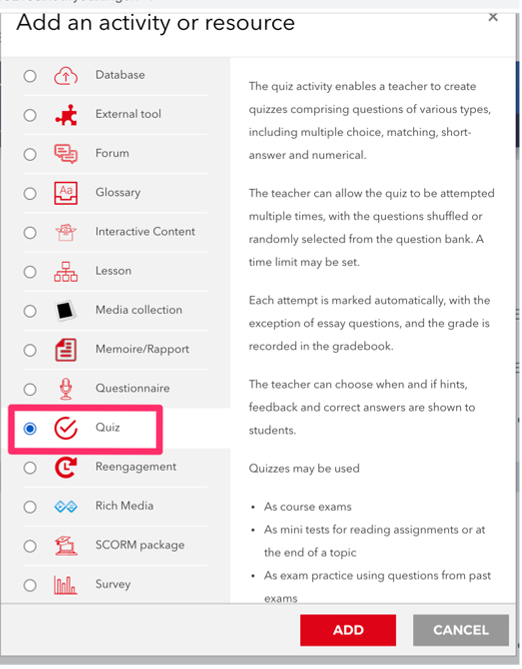
Step 3: Choose Quiz in the Activities section click Add.
Step 4: Enter the quiz name and its description. It’s also important to set a number of options so that students don’t cheat.