Question Banks and Question Types
1. Setting up Your Question Bank
If you’re going to conduct regular assessments, it’s convenient to use a question bank.
A question bank in Moodle is an overall stock of all the questions and tasks you’ve ever created on the platform. This feature saves time since there’s no need to create everything from scratch: if you need to prepare a test for a new course, you can simply copy ready-made questions or tasks from the bank.
You have two options with tests: you can import/export quizzes you have already created, or you can create new quizzes with the questions from your question bank.
Any questions you have already created will already be in the question bank. But now we are going to create new ones.
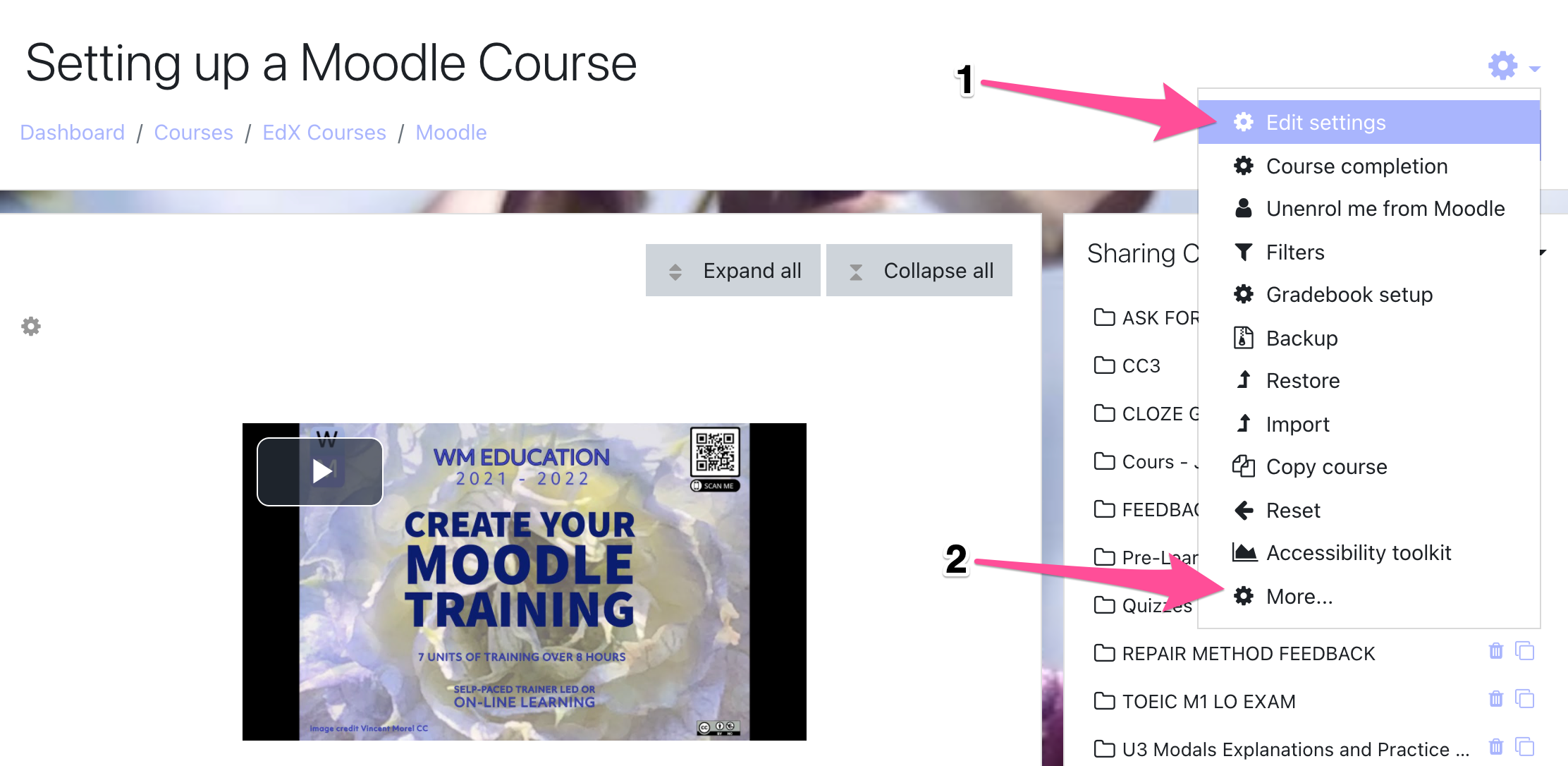
Step 1: To open a question bank, click the gear icon and select More.
Step 2: Scroll down under Course administration and you will see the Question bank section.
· Questions
· Categories
· Import
· Export
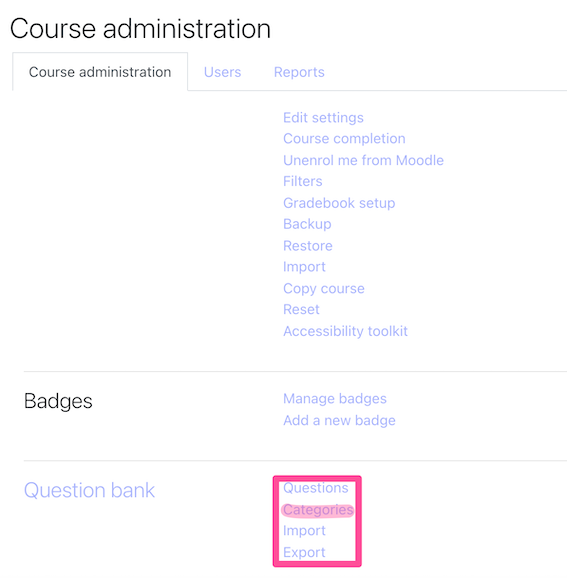
Step 3: Click on Categories. You will probably want to create different categories and different sub-categories. Categories can be further divided into sub-categories, with further sub-categories, for example:
- Grammar
- Verbs
- Present Tenses
- Past Tenses
- Future Tenses
- Verbs
- Vocabulary
- Marketing
The categories that you create are the frame within which you will be creating your questions.
Step 4: Go ahead and create a few categories.
Step 5: Once you have created a category you can click on it and it will bring up the following window

Naming your categories with care and naming your questions is vital, so that you can find them again.